Students

My Students
The My Students page allows you to view and manage students assigned to you within your rotations.
This page provides visibility into:
- Students under your supervision
- Their assigned rotations and courses
- High-level activity summaries
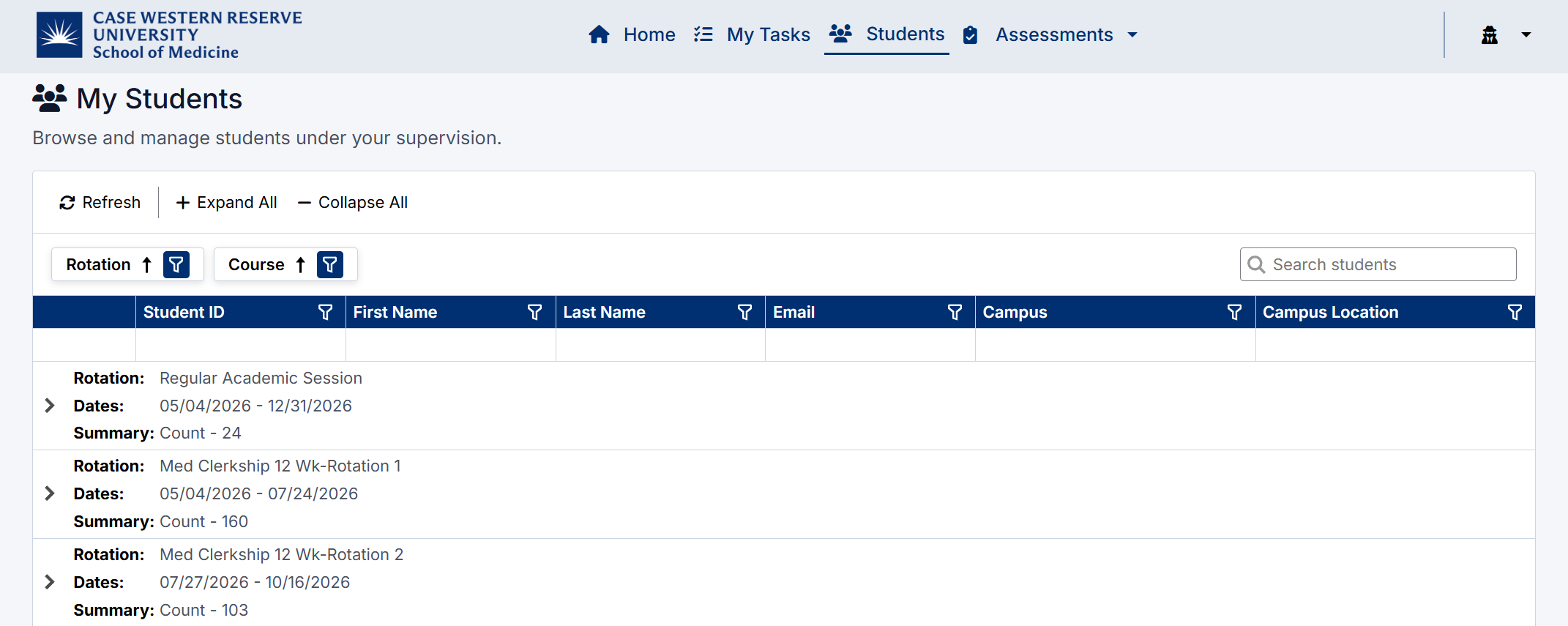
My Students Page
Accessing My Students
To view your students:
- Navigate to My Students from the application menu
- The page will display all students grouped by Rotation and Course

Understanding the Student List
Students are organized in a hierarchical view:
- Rotation – Displays the academic session and date range
- Course – Groups students within a specific clerkship or discipline
- Student – Individual student records
Each student row includes:
- Student ID
- Name
- Campus and Location
Viewing Student Details
Click the expand arrow ( > ) next to a student to view additional information.
This includes:
- Student Session Stats, such as:
- Number of Patient Logs
- Number of Ad Hoc Assessment Requests
This provides a quick snapshot of the student’s activity and engagement.
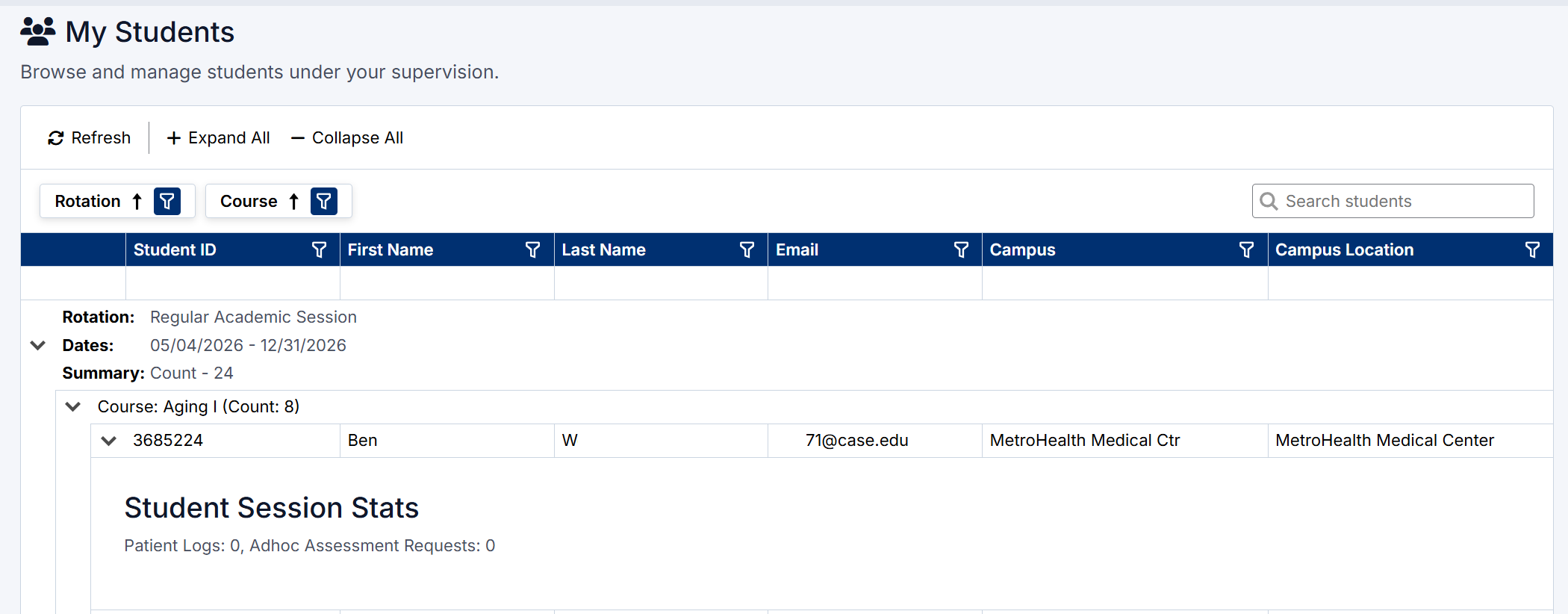
Student details
Filtering and Search
You can refine the list using:
- Rotation filter
- Course filter
- Search bar to find specific students by name or email
Page Controls
- Refresh – Reload the latest data
- Expand All / Collapse All – Show or hide all student details
Best Practice
Use this page to quickly identify student activity levels and determine where additional support or feedback may be needed.
Created with the Personal Edition of HelpNDoc: Streamline Your Documentation Process with HelpNDoc's Project Analyzer