Ad-Hoc Assessments

Ad-Hoc Assessments
The Ad-Hoc Assessments page allows you to review and complete assessment requests submitted by students for specific clinical encounters.
Accessing Ad-Hoc Assessments
You can access ad-hoc assessments in the following ways:
From the Navigation Menu
- Click Assessments in the top navigation bar.
- Select Ad-Hoc Assessments.

From the Dashboard
- Navigate to the Home dashboard.
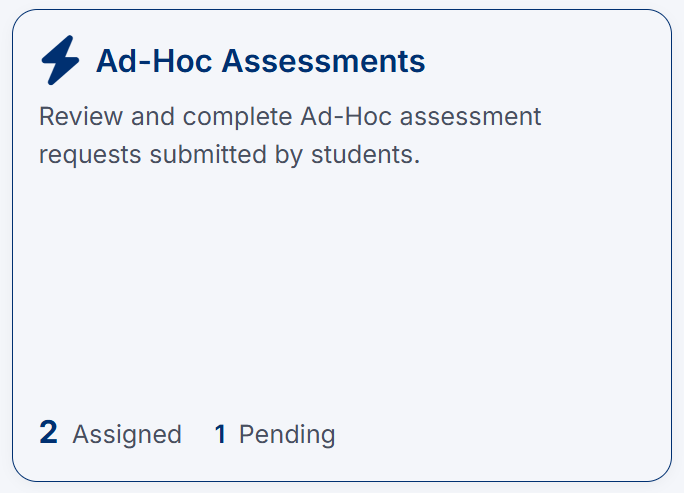
- Click the Ad-Hoc Assessments tile.
From My Tasks
- Navigate to My Tasks.
- Locate an ad-hoc assessment request.
- Click Open or Review.
How Ad-Hoc Assessments Are Requested
Students may request an ad-hoc assessment in two ways:
- Through the system by submitting a request
- In person during an encounter by sharing a QR code from their mobile device
When a QR code is scanned, it links directly to the same assessment request form, allowing you to quickly access and complete the evaluation.
Viewing Assessment Requests
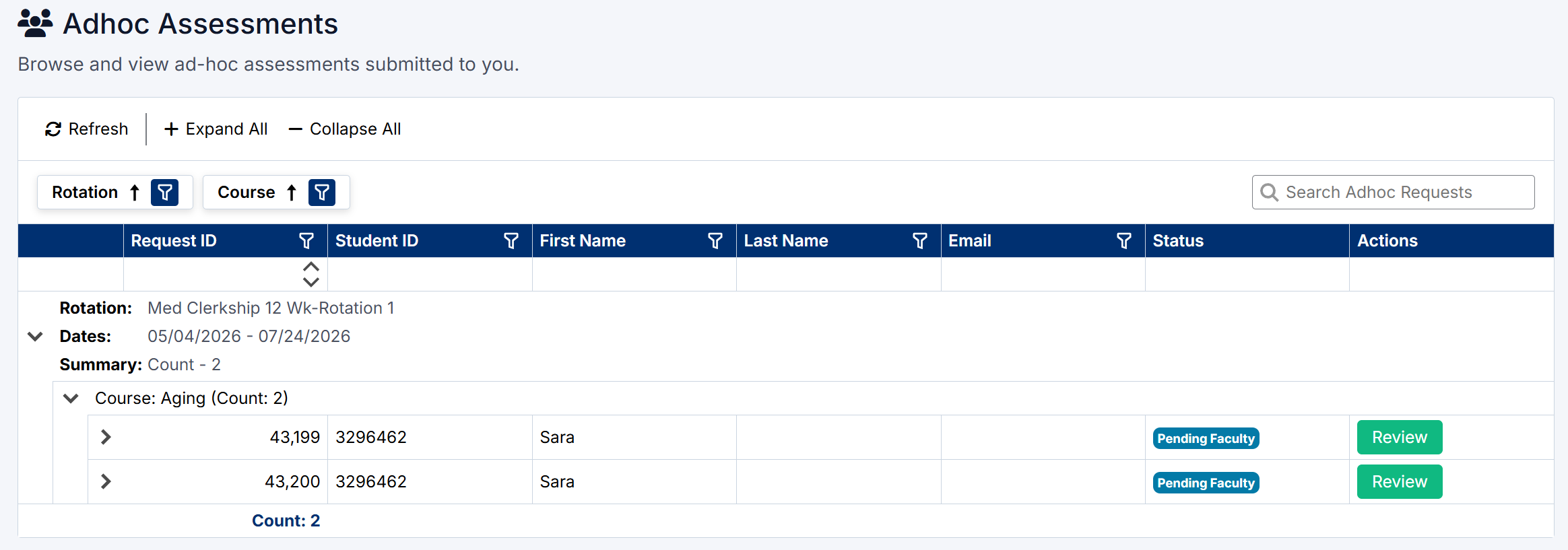
The Ad-Hoc Assessments page displays all requests grouped by:
- Rotation
- Course
Each request includes:
- Student name and ID
- Email address
- Assessment status (e.g., Pending Faculty)
- Action button (Review)
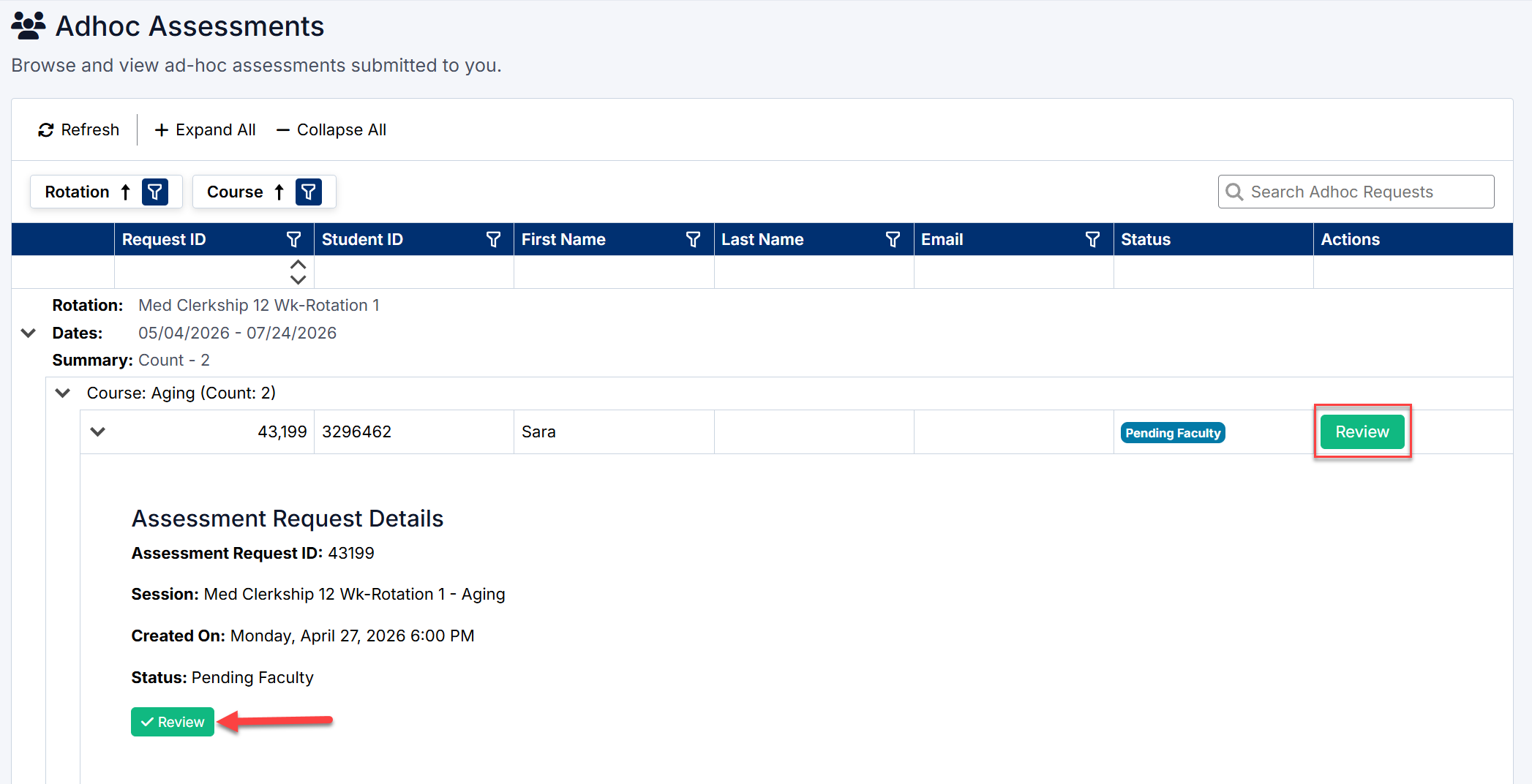
You can expand each row to view additional assessment request details, including:
- Assessment Request ID
- Session and rotation information
- Date the request was created
- Current status
Completing an Ad-Hoc Assessment
To complete an assessment:
- Locate the request in the list.
- Click Review.
- Review the assessment details.
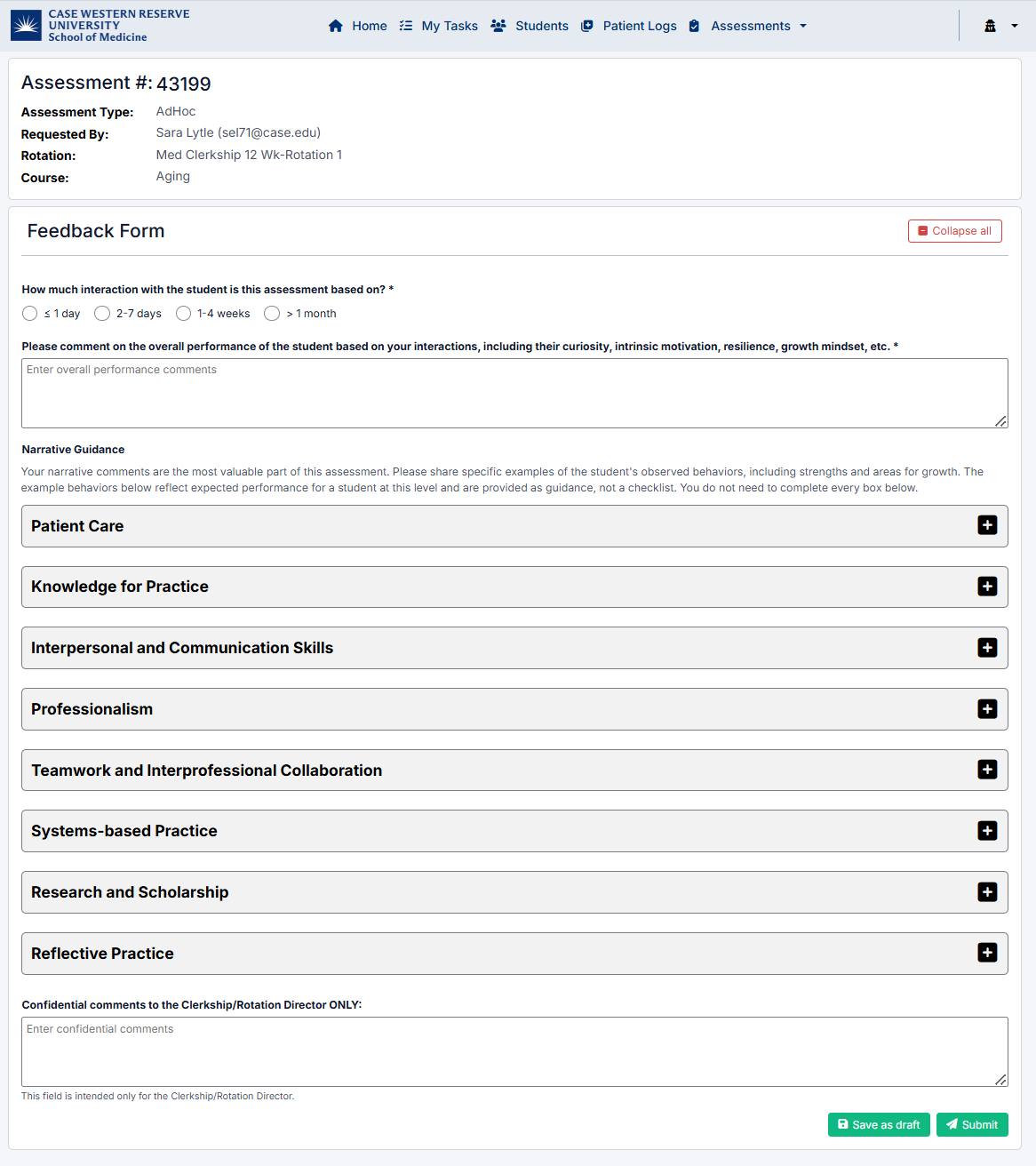
- Complete the Feedback Form, including:
- Interaction level
- Overall performance comments
- Competency-based sections (e.g., Patient Care, Communication, Professionalism)
- Add any confidential comments if required.
- Click Submit to finalize the assessment
- Or Save as draft to complete later
Assessment Form
The assessment form includes:
- Overall performance feedback
- Narrative comments
- Competency-based evaluation sections, such as:
- Patient Care
- Knowledge for Practice
- Interpersonal and Communication Skills
- Professionalism
- Teamwork and Collaboration
- Systems-Based Practice
- Research and Scholarship
- Reflective Practice
These sections can be expanded and completed as needed.
Assessment Status
- Pending Faculty – Awaiting your review and completion
- In Progress – Assessment started but not submitted
- Completed – Assessment submitted and finalized
The Ad-Hoc Assessments page allows you to provide timely, encounter-based feedback, supporting accurate evaluation of student performance in real clinical settings.
Created with the Personal Edition of HelpNDoc: Easily create Web Help sites